TimeRewindLinker
A downloadable game
TimeRunner is a time-based puzzle platformer centered on the theme of Connection.
In the current level design, pressure-plate logic is no longer the main interaction model.
The gameplay now revolves around:
- the Player
- Echo (your past self)
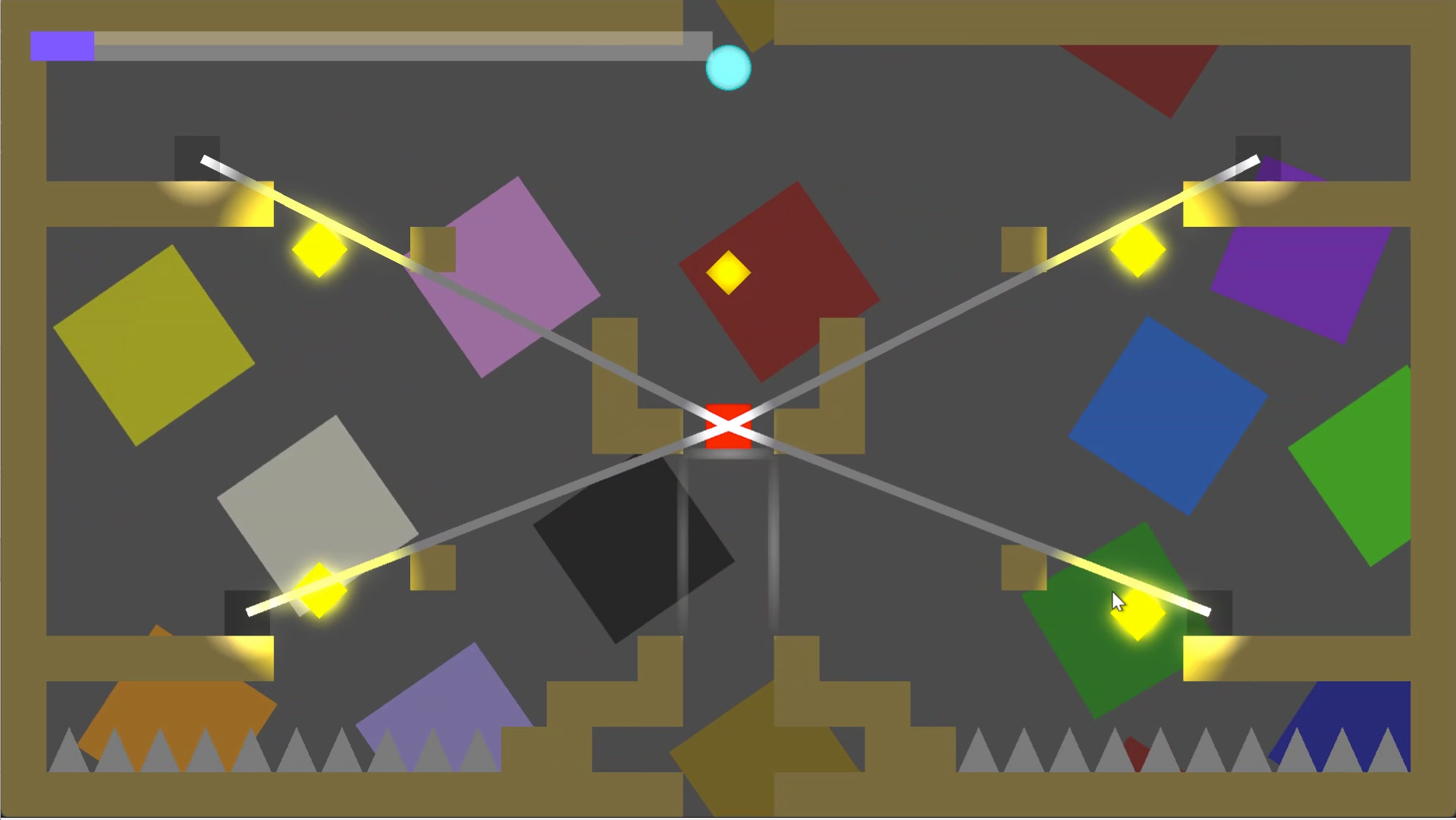
- Connection Beam
- Connection Sensor
You solve puzzles by shaping where the beam between Player and Echo travels over time.
### Core Loop
1. Move and record
- Perform a useful route first.
2. Rewind
- Return to an earlier point in your timeline.
3. Spawn Echo and establish a link
- Echo replays past actions.
- A live beam is formed between you and Echo.
4. Drive mechanisms via beam-sensor intersection
- When the beam crosses a Connection Sensor, it activates.
- Sensors trigger door behavior through Activated / Deactivated events.
5. Synchronize both timelines
- Success depends on where the beam is, not only where the character stands.
### Think in Segments, Not in Spots
Most puzzles are about controlling a moving line segment:
- Make the beam sweep through a target area.
- Keep it intersecting long enough.
- Use the opening window to pass through.
So you plan both:
- Echo anchor and playback rhythm
- Live player movement and timing
Together they determine beam angle, length, and coverage.
### Practical Strategy
1. Plan the beam first
- Identify required beam path through sensors, then decide positions.
2. Record an anchor route first
- Use your first pass to place Echo in a strong anchor position.
3. Execute a second route after rewind
- Use your live run to complete the intersection timing.
4. Iterate by retiming, not by rushing
- Most failures are timeline/beam timing issues, not pure execution speed.
### Experience Goal (034jam Connection Theme)
- You are connected to your own past.
- Connection is both visual language and puzzle input.
- Different timing creates different valid paths in the same space.
### Default Controls
- Move left: `A`
- Move right: `D`
- Move down: `S`
- Jump: `W`
- Rewind: `Q`
- Reload level: `E` (action name: `relode`)
### Quick Start
1. Open the project in Godot and press Play.
2. Enter a level from the level manager.
3. Locate sensors first, then plan your first recording around beam routes.
Development log
- Fix Gravity Issue16 days ago
Leave a comment
Log in with itch.io to leave a comment.